Samsung refrigerators are among the most popular in Toronto homes, but their ice makers have developed a reputation for problems. From ice that will not dispense to a tray that stays completely empty, Samsung ice maker issues are frustratingly common. The good news is that most of these problems have clear causes and straightforward fixes.
This guide covers every common Samsung ice maker problem, provides step-by-step troubleshooting, and tells you when to call a professional.
Quick Answer: If your Samsung ice maker is not working, the most common causes are a frozen ice mold assembly, a clogged water filter, a failed water inlet valve, or a defective ice maker module. Start by checking the water filter and inspecting the ice mold for ice buildup. Samsung has issued service bulletins and extended warranties on certain models for ice maker issues — check your model number.
Common Samsung Ice Maker Problems
1. Frozen Ice Mold Assembly
This is the single most common Samsung ice maker problem. Water fills the ice mold, but instead of freezing into individual cubes, it freezes into a solid block that the ejector mechanism cannot push out. Over time, ice builds up above the mold and jams the entire assembly.
On many Samsung French-door models, the ice maker is located inside the refrigerator compartment rather than the freezer door, which makes it more susceptible to temperature fluctuations that cause this issue.
To check, remove the ice bin and look at the ice maker assembly. If you see a solid block of ice covering the mold or ice accumulated above the mold fingers, you have a frozen assembly. You can thaw it with a hair dryer on a low setting, but the problem often returns unless you address the root cause.
2. Clogged Water Filter
Samsung refrigerators use a water filter that should be replaced every six months. A clogged filter reduces water flow to the ice maker, resulting in small, hollow, or misshapen cubes — or no ice at all. If your ice production has gradually declined over time, a clogged filter is one of the first things to check.
Replace the filter with a Samsung-compatible cartridge and check whether ice production improves over the next 24 hours. If it does, you have found the issue.
3. Failed Water Inlet Valve
The water inlet valve is an electrically operated valve that controls water flow to both the ice maker and the dispenser. It is located at the back of the refrigerator, near the bottom. If the valve fails — either mechanically or electrically — the ice maker receives no water.
Test the valve by swapping the wiring between the ice maker and dispenser solenoids (if your model has separate solenoids). If the dispenser works when connected to the ice maker wiring, the valve is working and the problem lies elsewhere. If neither solenoid works, the valve needs replacement.
4. Defective Ice Maker Module
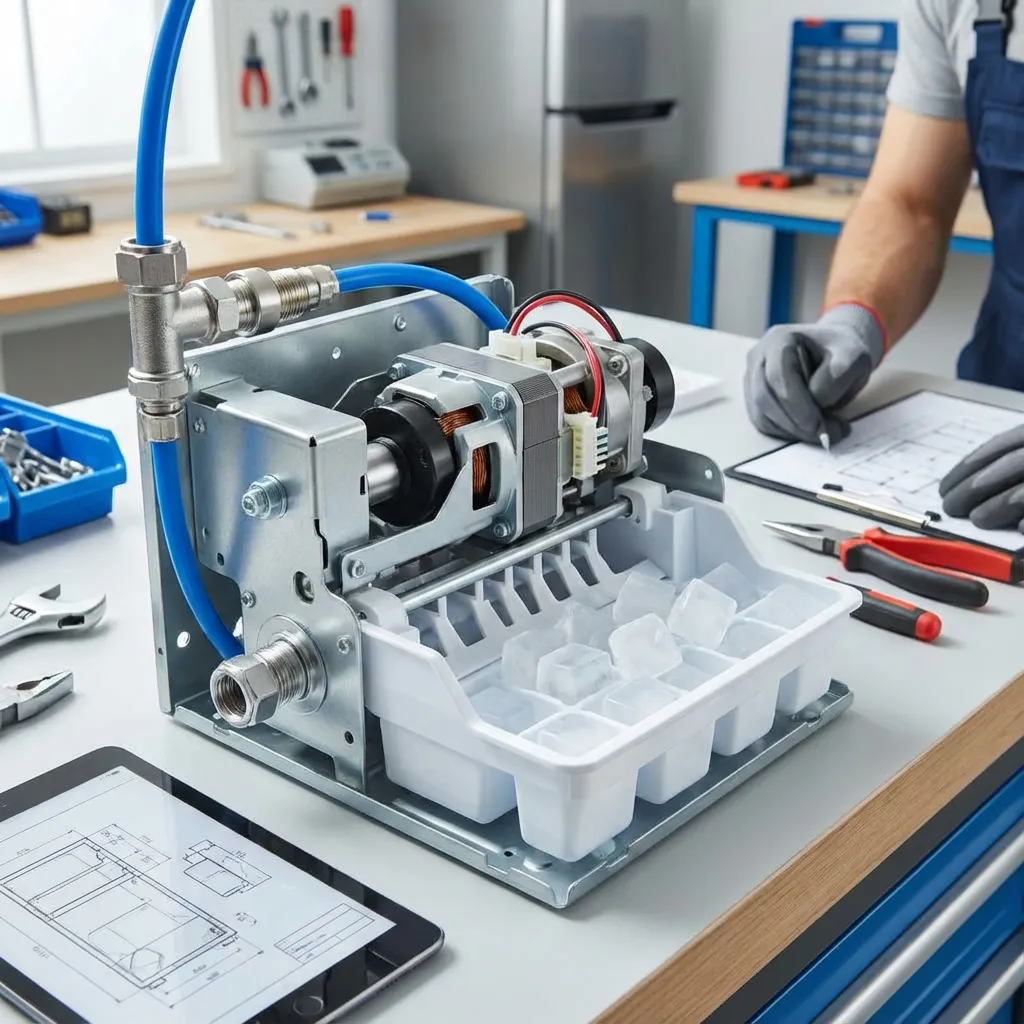
The ice maker module is the control unit that manages the fill, freeze, harvest, and dispense cycles. When the module fails, the ice maker may not fill with water, may not eject ice, or may cycle continuously without producing ice.
On Samsung models, the module is typically part of the ice maker assembly rather than a separate replaceable component. If the module has failed, the entire ice maker assembly usually needs to be replaced.
5. Jammed Auger Motor
The auger motor drives the spiral blade that pushes ice from the storage bin through the dispenser chute. If the motor jams — often caused by ice clumps or frost buildup around the auger — the dispenser will not deliver ice even though the ice maker is producing cubes.
Remove the ice bin and clear any ice clumps or frost. Check that the auger turns freely by hand. If the motor hums but the auger does not turn, the motor or its drive coupling may be damaged.
6. Low Water Pressure
Samsung ice makers require a minimum water pressure of 20 to 120 psi to fill the mold properly. Low water pressure — caused by a kinked supply line, a partially closed shut-off valve, or plumbing issues — results in small or incomplete cubes, or no ice at all.
Check that the water supply valve behind the refrigerator is fully open. Inspect the supply line for kinks or damage. You can test water pressure by dispensing water into a measuring cup — if it fills slowly, you have a pressure issue.
7. Temperature Issues
Samsung ice makers need the freezer compartment to be at or below 0 degrees Fahrenheit (-18 degrees Celsius) to freeze cubes properly. If the freezer temperature is too high — caused by a door left ajar, a failing defrost system, or a malfunctioning thermostat — the ice maker will produce small or hollow cubes, or no ice at all.
Check the freezer temperature with a thermometer. If it is above 0 degrees, address the temperature issue first, as it may resolve the ice maker problem.
Step-by-Step: How to Fix a Samsung Ice Maker
Step 1: Check the Water Filter
Locate the water filter — on most Samsung models it is inside the refrigerator compartment, either in the upper right corner or at the bottom. Remove the old filter and install a new Samsung-compatible cartridge. Run the dispenser for 3 to 5 minutes to flush air and carbon residue from the new filter. Wait 24 hours for ice production to resume.
Step 2: Inspect the Ice Mold for Freeze-Up
Remove the ice bin and examine the ice maker assembly. If ice has built up above the mold or the cubes are frozen into a solid block, thaw the assembly using a hair dryer on a low setting. Do not use hot water, which can damage the module. Once the ice is cleared, clean out any debris and reassemble.
Step 3: Clear the Ice Bin and Auger
Remove the ice bin and discard any clumped or frost-covered ice. Wash the bin with warm water and dry it thoroughly. Check that the auger spiral turns freely. Reinstall the bin and make sure it seats fully on the auger drive coupling.
Step 4: Check Water Pressure and Supply
Pull the refrigerator away from the wall and verify that the water supply valve is fully open. Inspect the supply line for kinks, cracks, or damage. If the line is old or showing wear, replace it with a new braided stainless steel supply line. Dispense water into a measuring cup — it should fill quickly and with good flow. Slow flow indicates a pressure or valve problem.
Step 5: Test the Water Inlet Valve
Unplug the refrigerator and remove the lower back panel to access the water inlet valve. Remove the wire harness connectors from the valve solenoids. Use a multimeter to test each solenoid for continuity. A solenoid that shows no continuity needs to be replaced. If all solenoids show continuity, reconnect the harness and check that the valve receives voltage when the ice maker calls for water.
Step 6: Reset the Ice Maker
Many Samsung models have a test mode that forces the ice maker through a full cycle. On models with a test button (usually a small rectangular button on the side or front of the ice maker), press and hold the button for about 3 seconds until you hear a chime. The ice maker will run through a harvest cycle and then a fill cycle. If it operates in test mode but not in normal mode, the issue may be with the main control board or the wiring between the board and the ice maker.
Step 7: Check Freezer Temperature
Place a thermometer in the freezer compartment and close the door for 5 minutes. The temperature should read 0 degrees Fahrenheit or below. If the freezer is too warm, address the temperature issue — check the door seal, verify that the condenser coils are clean, and make sure nothing is blocking the vents between the freezer and refrigerator compartments.
When to Call a Professional
If you have worked through the troubleshooting steps and your Samsung ice maker still is not producing ice, or if you need to replace the ice maker assembly or water inlet valve, it may be time to call a professional. Samsung ice maker assemblies involve multiple wiring connectors and harnesses, and incorrect installation can cause ongoing problems.
Appliance Service Plus has extensive experience with Samsung refrigerator ice maker issues. Their technicians carry Samsung-compatible parts and are familiar with the known ice maker problems across Samsung model lines. If you are in Toronto, Mississauga, Markham, or the GTA, you can schedule a service call for prompt diagnosis and repair.
Samsung Ice Maker Service Bulletins and Extended Warranties
Samsung has acknowledged ice maker problems in certain model families and has issued service bulletins and, in some cases, extended warranties. If your refrigerator was manufactured between 2015 and 2021 and is experiencing ice maker issues, check with Samsung Canada or your local service provider to determine whether your model qualifies for a free or subsidized repair.
Frequently Asked Questions
Why is my Samsung ice maker not making ice but water works?
If the water dispenser works but the ice maker does not produce ice, the most likely cause is a frozen ice mold assembly. Water is reaching the refrigerator (as evidenced by the working dispenser) but the ice maker module cannot eject the frozen cubes. Thaw the ice mold assembly and check whether the water inlet valve's ice maker solenoid is receiving voltage during the fill cycle.
How do I force my Samsung ice maker to cycle?
On most Samsung models, press and hold the ice maker test button for about 3 seconds. You will hear a chime, and the ice maker will run through a harvest and fill cycle. If the ice maker cycles in test mode but does not produce ice on its own, the issue is likely with the main control board or the ice maker sensor.
Why does my Samsung ice maker make small or hollow cubes?
Small or hollow cubes usually indicate low water pressure or a clogged water filter. The ice maker fill cycle is timed, so if insufficient water reaches the mold during the fill window, the resulting cubes are undersized. Replace the water filter first, then check the water supply line and inlet valve for restrictions.
How much does it cost to replace a Samsung ice maker assembly in Toronto?
A Samsung ice maker assembly typically costs $100 to $200 for the part, depending on the model. With professional installation, total repair cost is usually $250 to $400 in the Toronto area. If your model is covered under a Samsung service bulletin, the repair may be partially or fully subsidized.
Can I replace just the ice maker module, or do I need the full assembly?
On most Samsung models, the ice maker module is not sold separately — the entire ice maker assembly, including the module, mold, and ejector mechanism, is replaced as a single unit. This is actually an advantage because it ensures all the common failure points are addressed at once.
Get Your Samsung Ice Maker Working Again
A Samsung ice maker that is not producing ice is a common but solvable problem. Start with the simplest fixes — replacing the water filter and clearing ice buildup — and work through the troubleshooting steps in this guide. Many Samsung ice maker problems are resolved with a filter change, a thaw, or a single component replacement.
If you need professional help, Appliance Service Plus has the experience and the parts to get your Samsung ice maker working again. Serving Toronto, Mississauga, Markham, and the GTA, their technicians diagnose and repair Samsung ice maker problems — often in a single visit.
Need Professional Help?
If the problem persists or seems too complex to handle on your own, our expert technicians are ready to help. Fast, reliable service when you need it.